How to Split a Job Visit on the Scheduler
Learn how to split an existing scheduled visit to accommodate another appointment without losing the original visit's allocated time.
Sometimes you may need to interrupt an appointment to attend another job before returning to finish the original work.
WorkNinja's visit splitting feature allows you to do this directly from the scheduler.
1. What Is a Split Visit?
A split visit allows an existing appointment to be divided into two parts, with another visit scheduled between them.
For example:
You have a visit scheduled from 8:00 am to 12:00 pm, but you need to attend another job at 10:00 am for one hour.
Instead of cancelling or completely rescheduling the original appointment, you can split it.
The resulting schedule would look like this:
8:00 am – 10:00 am: Original visit (Part 1)
10:00 am – 11:00 am: New visit
11:00 am – 1:00 pm: Original visit (Part 2)
The original visit still receives its full four hours, but the appointment is divided to accommodate the additional work.
2. How to Split a Visit
Navigate to Schedule.
Locate the new visit you wish to schedule.
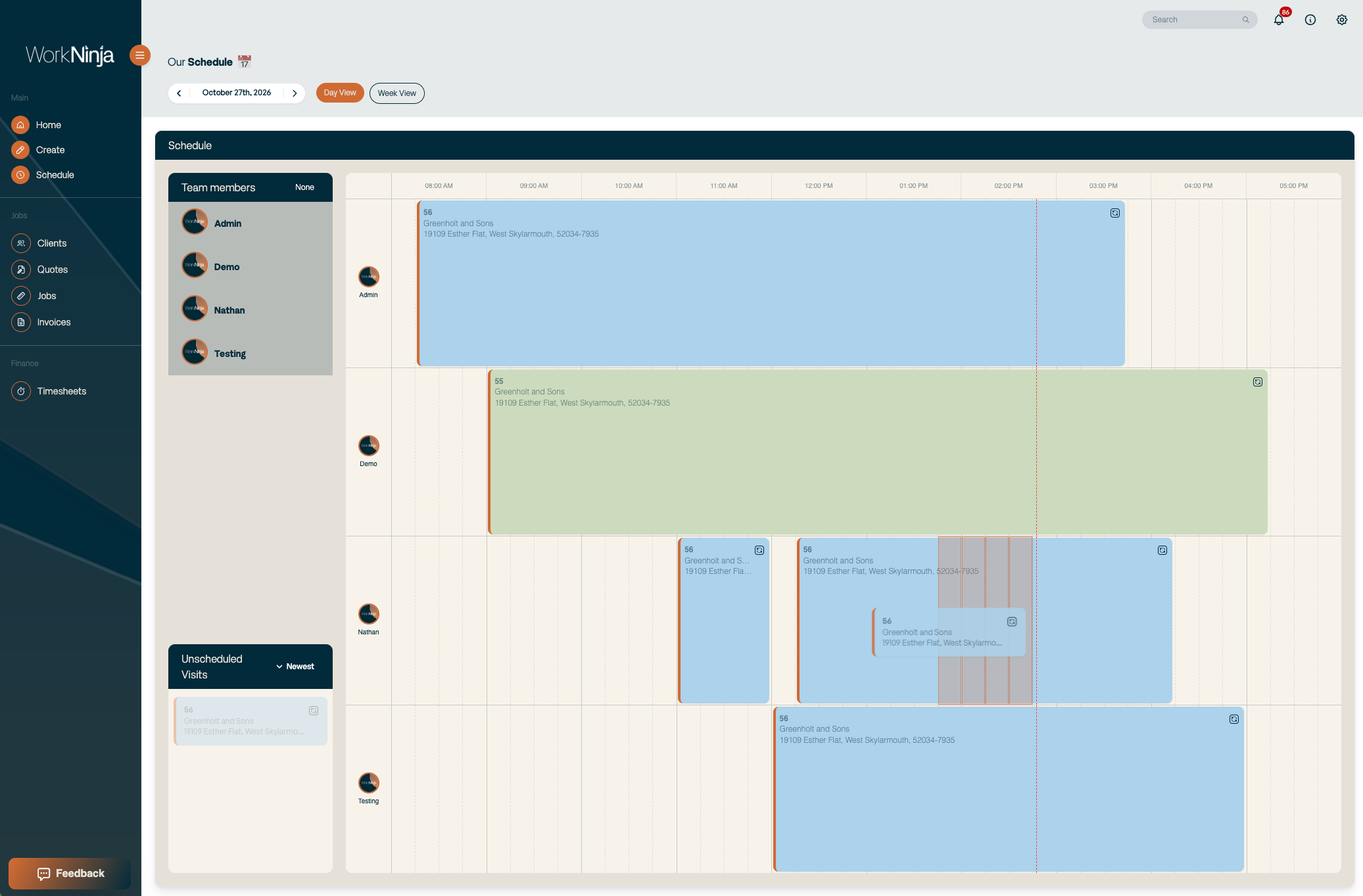
Drag the visit card onto an existing scheduled visit.
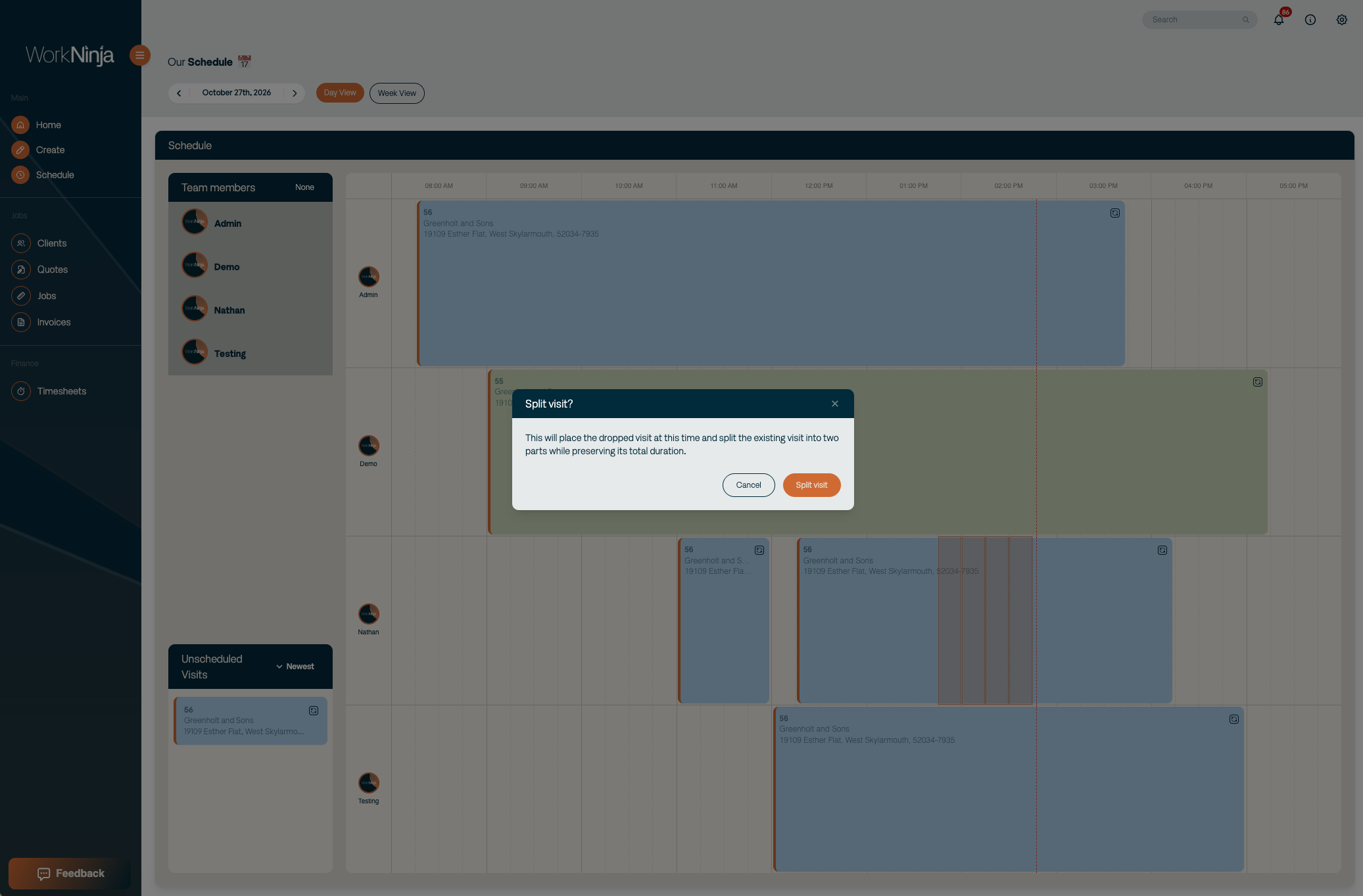
WorkNinja will detect the overlap and ask whether you would like to Split the Visit.
Choose the split option to accommodate the new appointment.
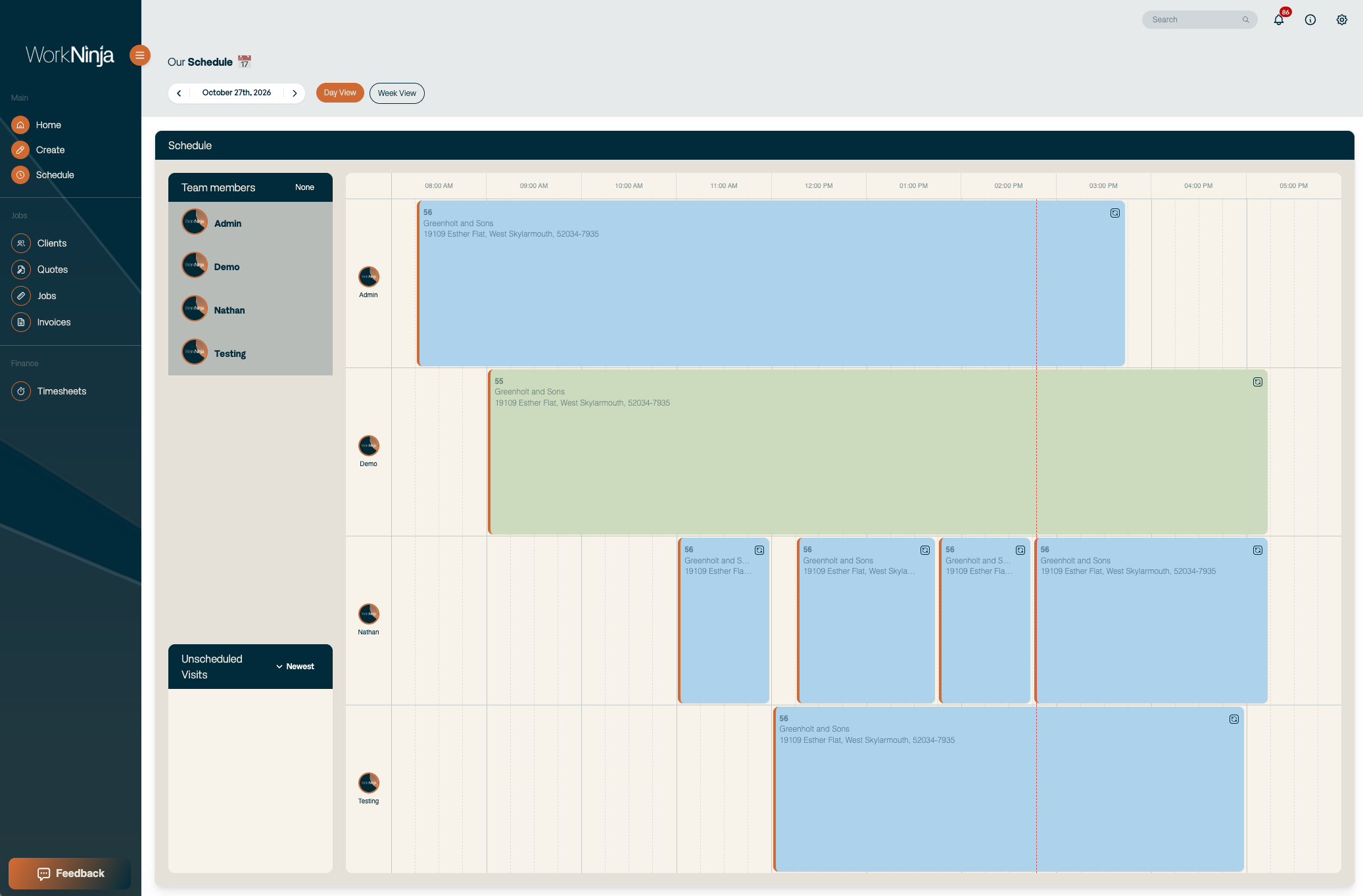
WorkNinja will divide the original visit and place the new appointment between the two parts.
3. What Happens to the Original Visit?
When a visit is split:
The original appointment is divided into two scheduled parts.
The new appointment is placed between those parts.
The original visit's total scheduled duration is preserved.
The technician can return to the original work after completing the additional appointment.
This allows you to accommodate urgent or unexpected appointments without losing time allocated to existing work.
4. Understanding Scheduling Conflicts
WorkNinja prevents appointments from overlapping for the same technician.
If you attempt to schedule two visits at the same time, you'll encounter a scheduling conflict.
Splitting an existing visit provides an alternative when you need to accommodate another appointment during an already allocated time slot.
Was this helpful?
Still need help? Ask the team