How to View or Change Your Plan
WorkNinja offers different subscription plans depending on the features and functionality your business requires.
You can view your current plan and compare it against the other available WorkNinja plans from the Plans & Billing area.
Viewing Your Current Plan
Go to:
Settings → Plans & Billing
Your current subscription plan will be displayed on this page.
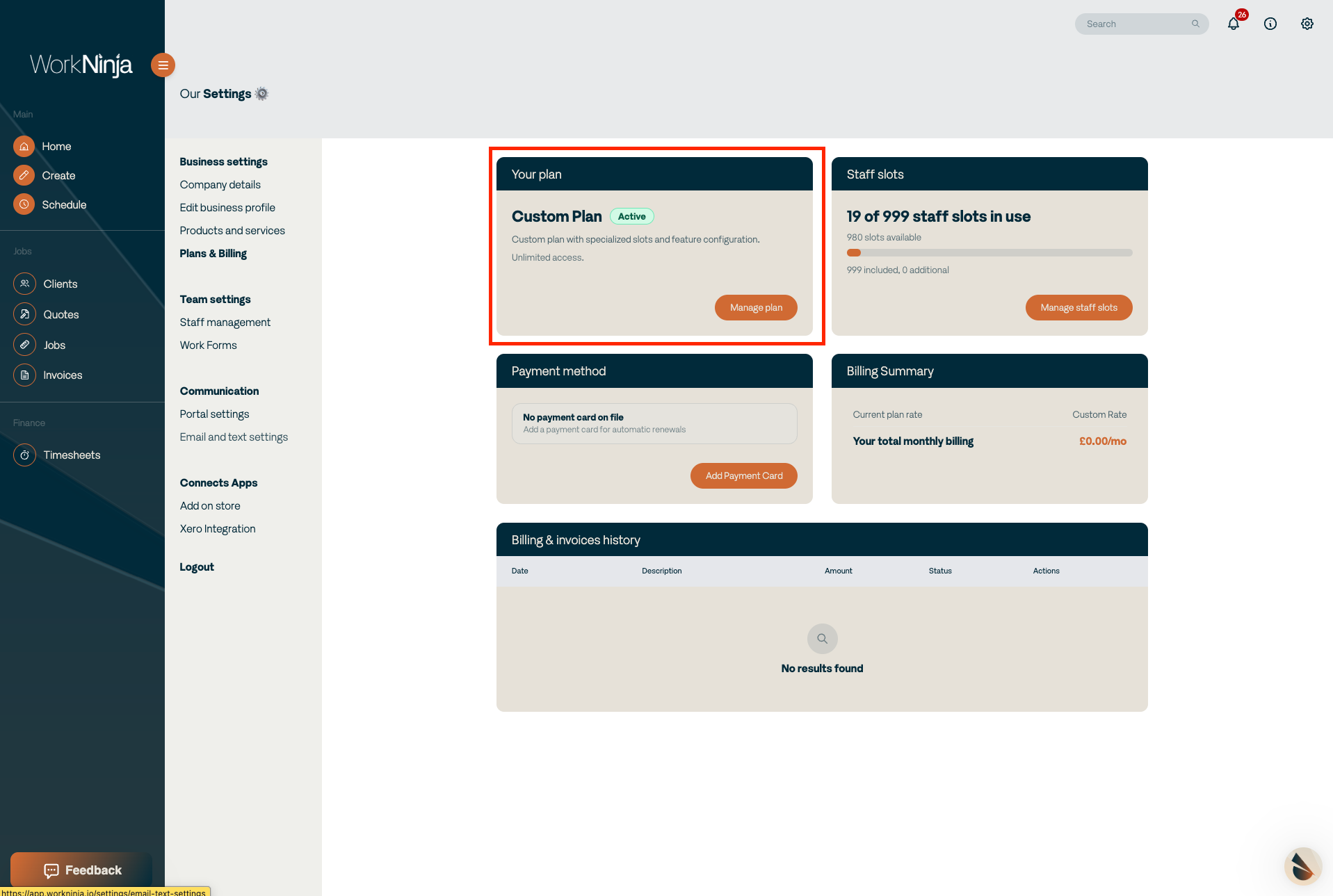
You will also be able to see information such as the number of seats associated with your account and your current billing summary.
Changing Your Plan
To explore the other available plans, select Manage Plan.
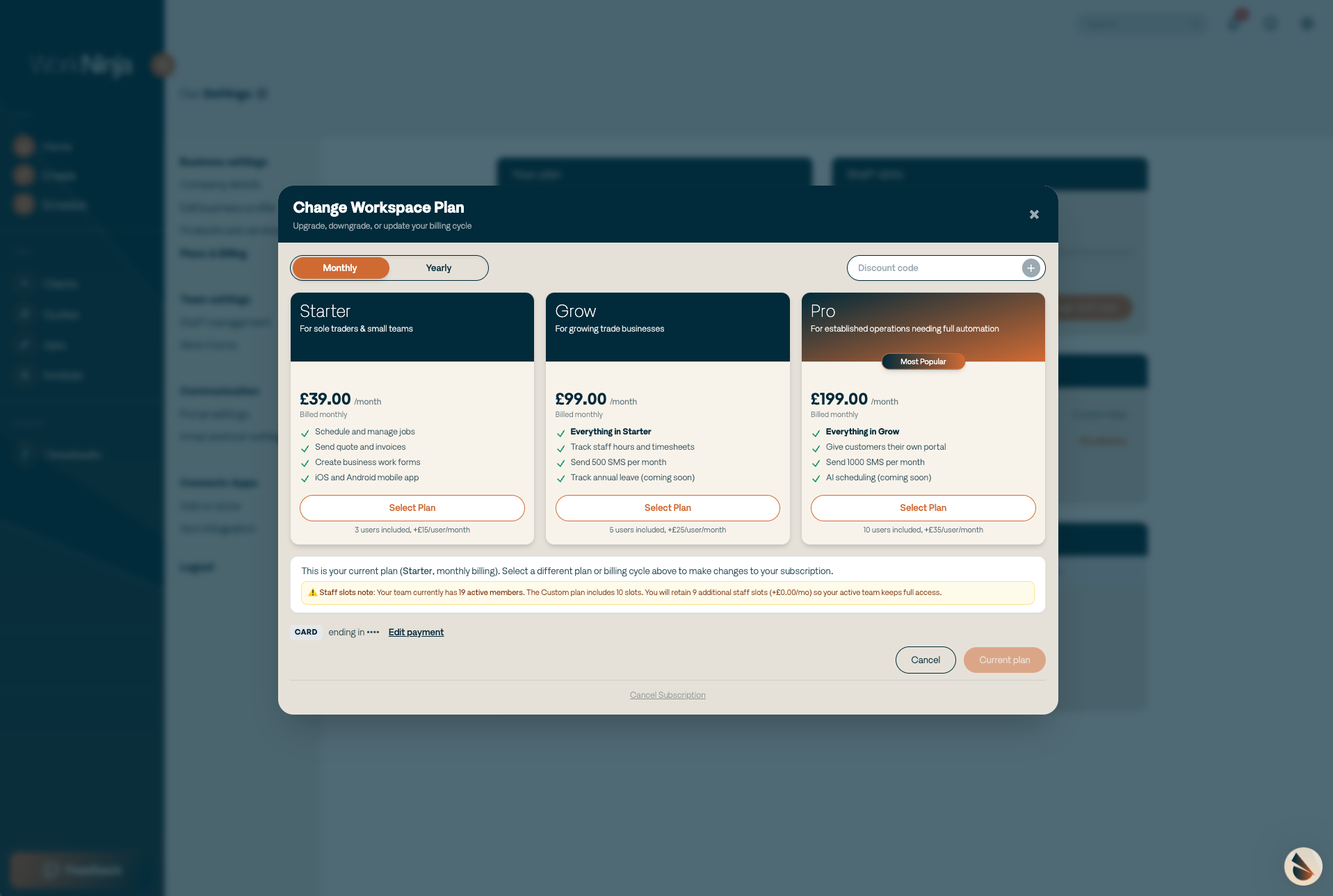
A window will appear allowing you to select between the available WorkNinja plans:
Starter
Grow
Pro
A feature comparison is displayed alongside the available plans so that you can see what additional functionality is included at each level.
Review the feature comparison before selecting the plan that best suits your business.
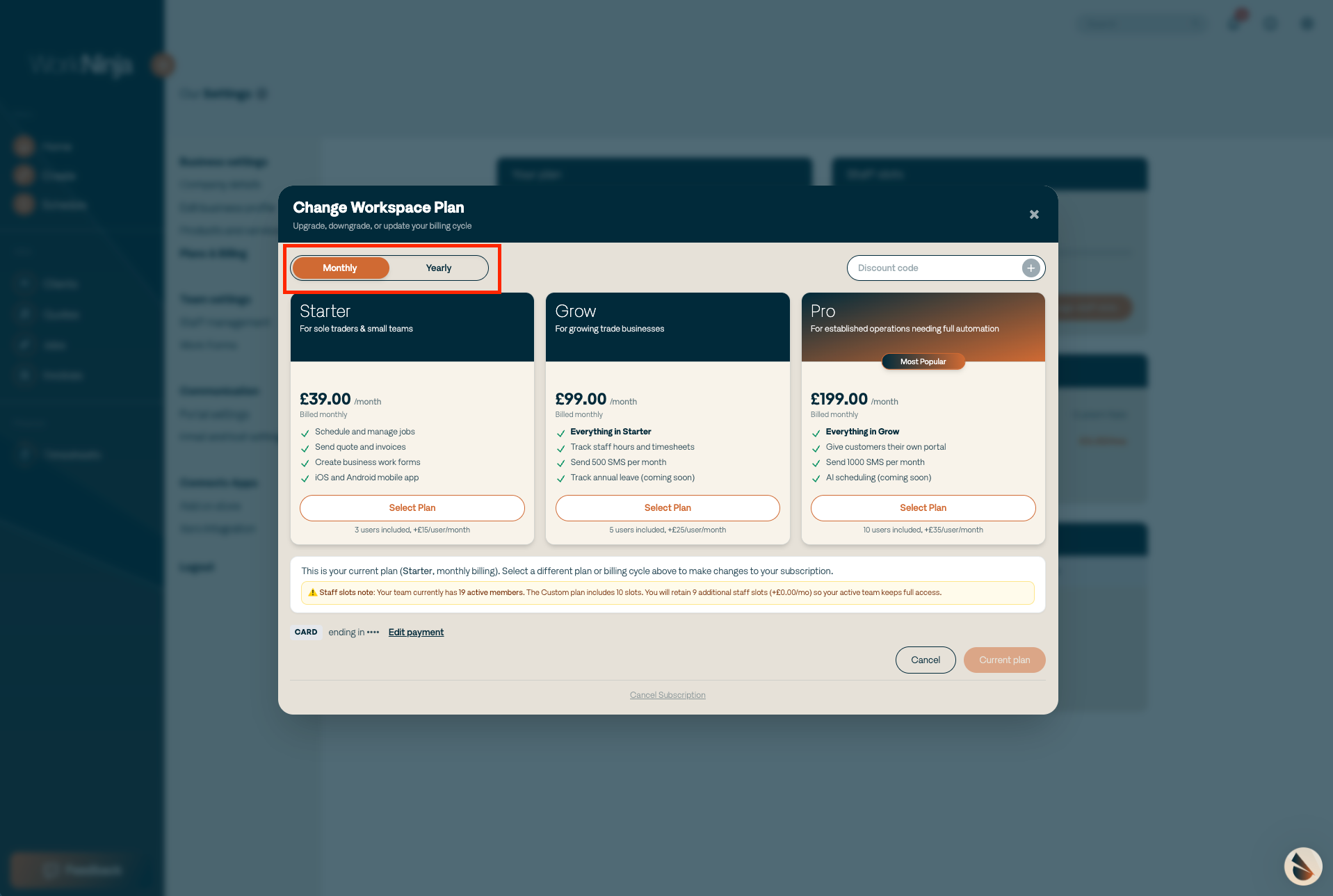
Monthly and Annual Billing
You can also choose whether your subscription is billed:
Monthly
Annually
Choosing annual billing means paying for your subscription upfront for the year.
Annual subscriptions include a saving equivalent to two months compared with paying monthly.
Cancelling Your Subscription
If you need to cancel your WorkNinja subscription, open the Manage Plan window.
At the bottom of the window, select Cancel Subscription.
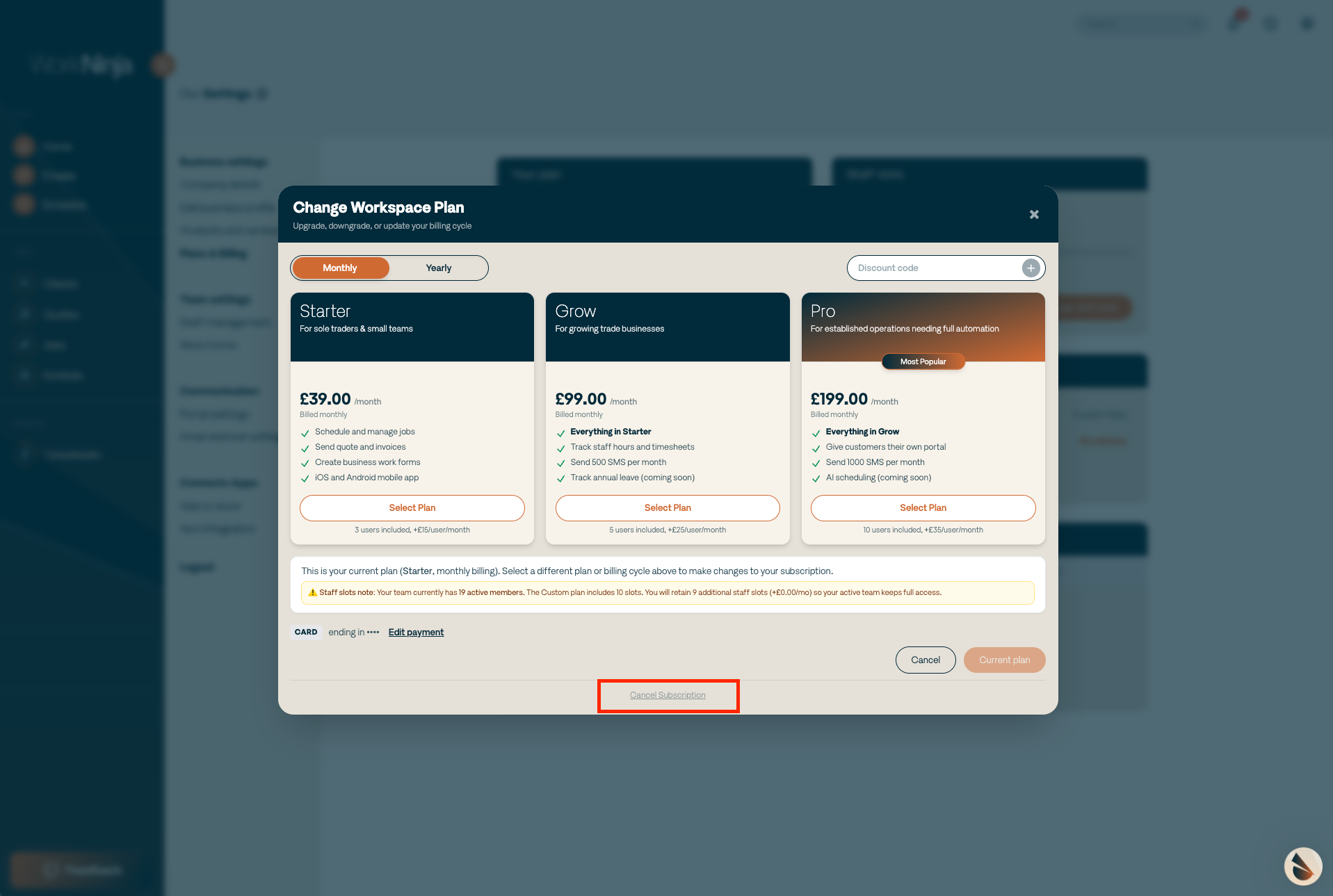
Follow the instructions shown on screen to proceed with the cancellation.
Important
Plan changes can affect the features available within your WorkNinja account.
Before moving to a different plan, review the feature comparison to make sure that the functionality your business relies on is included.
Was this helpful?
Still need help? Ask the team