What we’ve shipped in 🥷WorkNinja 🥷 this week [16 October] 🚀

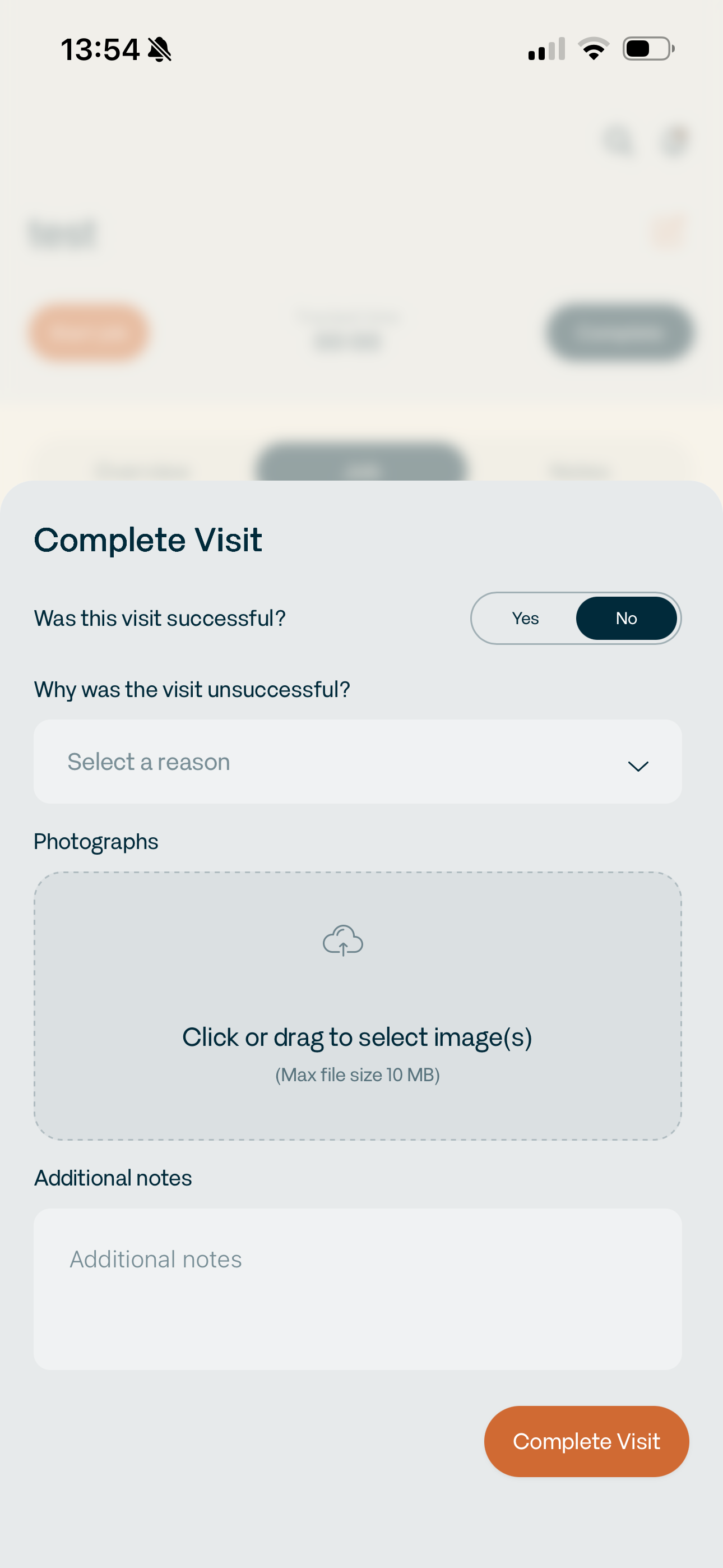
→ Mark visits as unsuccessful. Not every visit ends with the job being completed. You can now mark a visit as unsuccessful, select the reason — such as being unable to gain access to site — add supporting photos and store everything against the job for reconciliation later.
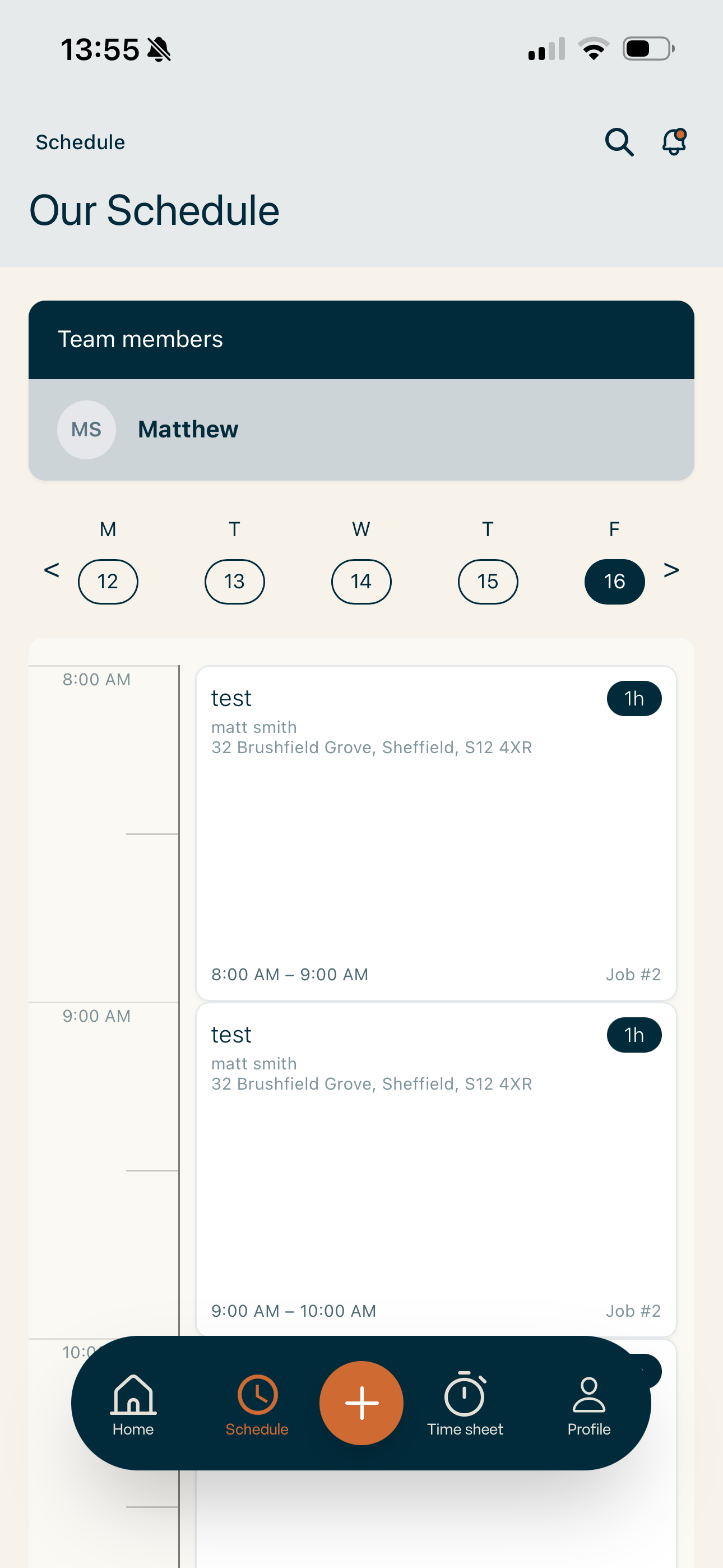
→ Improved scheduling across mobile and iPad. The app timeline is now much clearer, jobs can be dragged to rearrange the schedule, and we’ve made a range of UI/UX improvements across mobile and tablet. The scheduler now works much cleaner on iPad too, meaning you can properly manage the day without needing to jump back onto a desktop.
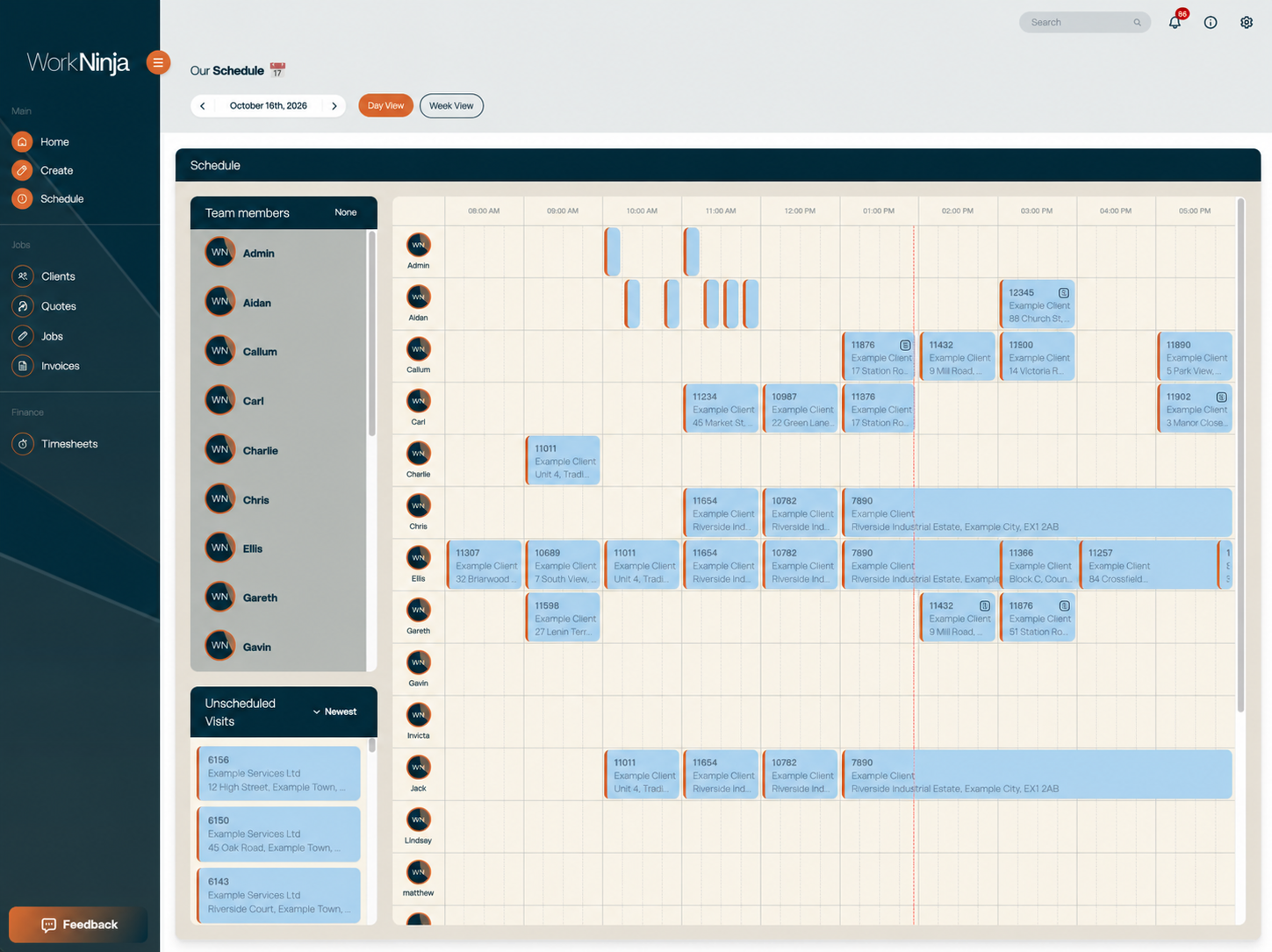
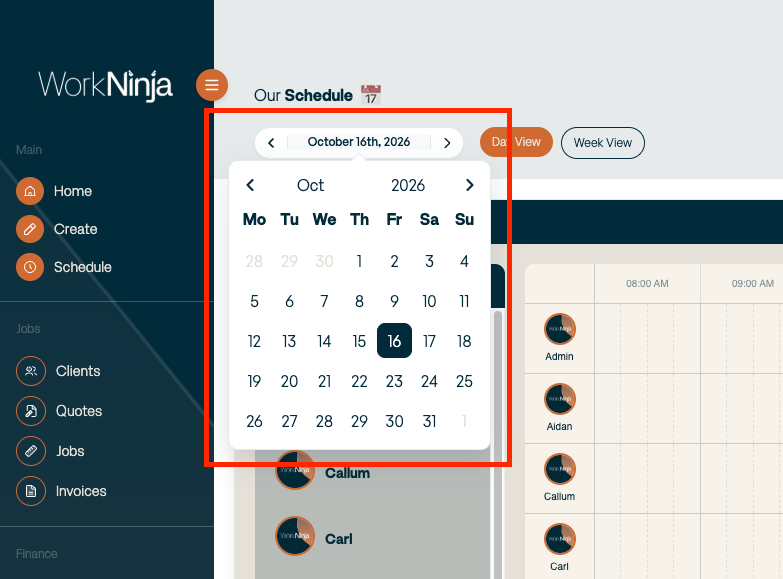
→ A faster, more useful dashboard scheduler. We’ve massively improved how the scheduler handles larger amounts of data, making the page noticeably faster. We’ve also added a calendar picker and improved the job cards so the information you actually need is visible directly within the schedule. Less clicking around just to work out what’s going on.
→ Simpler line items. We’ve cleaned up the way line items work across WorkNinja. Clearer messaging, less unnecessary information and a simpler structure focused around selling price and quantity, rather than showing unit cost where it isn’t needed.
→ More safeguards throughout the platform. Admins can no longer accidentally deactivate or delete their own account, and inactive clients are now removed from create screens so work can’t accidentally be created against a customer that has intentionally been made inactive.